A/B Testing Guide

Created on 29 March, 2026 โ€ข 4 minutes read

Learn how to use A/B image testing on your hotel website widgets. Real examples, step-by-step setup, and best practices to increase direct bookings.

A/B Testing

Find the image that gets more direct bookings.

Show different images to different visitors. Measure which one gets more clicks. Use the winner as your default. Repeat.

The widget text, offer and button stay exactly the same across all variants. The only thing that changes is the photo. Each visitor sees one version — you measure which image gets more clicks.

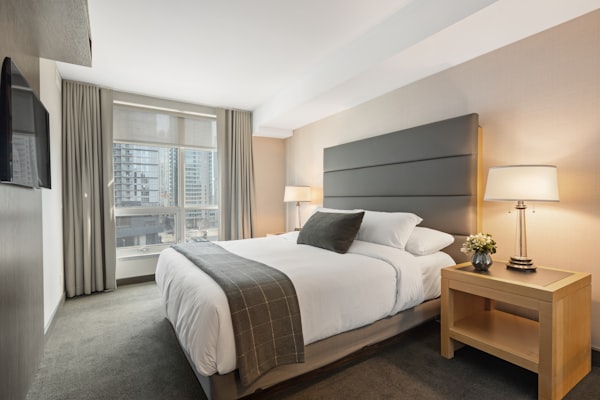
Hotel room interior Variant A
🏠 Hotel Miramar • Limited offer
Book direct & get free breakfast
Only 3 rooms left at this price
Book now →

Room interior — the classic shot

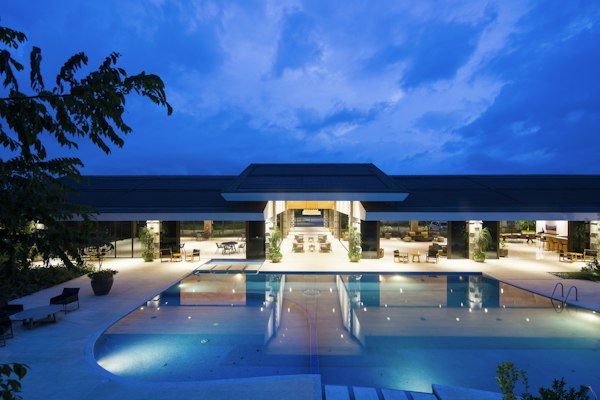
Hotel guests enjoying the pool Variant B
🏠 Hotel Miramar • Limited offer
Book direct & get free breakfast
Only 3 rooms left at this price
Book now →

Guests enjoying the hotel

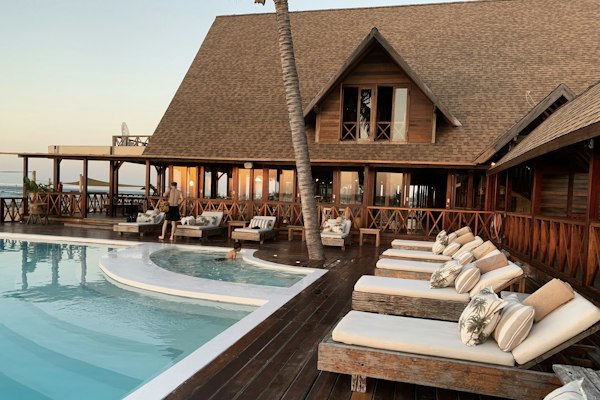
Hotel pool at sunset Variant C
🏠 Hotel Miramar • Limited offer
Book direct & get free breakfast
Only 3 rooms left at this price
Book now →

Pool / lifestyle shot

Same message. Same offer. Same button. Only the image is different — that is exactly what A/B testing measures.

Real examples from hotels

These are the kinds of A/B tests that typically move the needle for hotels. Each example shows what changed, what won, and why.

Example 1
Pool view vs room interior

A coastal hotel tested two images for their Image Campaign widget promoting a summer offer.

Standard double room
Variant A
Standard double room
312 impressions ยท 21 clicks
CTR 6.7%
Infinity pool at sunset
Variant B Winner
Infinity pool at sunset
298 impressions ยท 41 clicks
CTR 13.8%

Why B won: Lifestyle photos (experiences, views, emotions) consistently outperform room interior shots. Guests book feelings, not square meters.

Example 2
Seasonal vs evergreen image

A mountain hotel used a Call to Action widget with a "Book direct and get free ski pass" offer. They tested the image in December.

Hotel fireplace lounge
Variant A
Cosy hotel lobby fireplace
204 impressions ยท 18 clicks
CTR 8.8%
Skier on fresh powder snow
Variant B Winner
Skier on fresh snow slope
211 impressions ยท 34 clicks
CTR 16.1%

Why B won: The image matched the reason visitors were on the website โ€” planning a ski trip. Relevant context wins. In July, the result would likely reverse.

Example 3
Couple vs family imagery

A beach resort ran an A/B/C test on their Call to Action widget promoting an early bird summer deal.

Aerial beach
A
Aerial beach
CTR 5.2%
Family on the beach
B Win
Family beach
CTR 14.3%
Couple at sunset
C
Couple sunset
CTR 9.1%

Why B won: Most summer bookings at this property were families. Showing people who look like your target guest creates instant connection. Know your audience.

Example 4
Food vs room for a breakfast offer

A boutique city hotel tested imagery on a Call to Action widget promoting "Book direct: free breakfast included".

Superior hotel room
Variant A
Superior room photo
189 impressions ยท 17 clicks
CTR 9.0%
Hotel breakfast table natural light
Variant B Winner
Breakfast table, natural light
201 impressions ยท 29 clicks
CTR 14.4%

Why B won: When the offer is the perk (breakfast), show the perk. The image should illustrate exactly what the visitor gets by clicking โ€” not something generic.


How to set it up in 3 minutes

1
Open your notification settings

Go to your campaign → click the notification → open the Basic tab. Works on Image Campaign and Call to Action widget types.

2
Toggle on A/B Testing and upload Variant B

Scroll to the A/B Testing section, flip the toggle, and upload your challenger image. Optionally add Variant C. Save.

3
Visitors are split automatically

Each visitor is assigned a variant based on their IP and browser โ€” deterministically, with no cookies. The same visitor always sees the same variant.

4
Open Statistics and read the results

Go to the notification → Statistics tab → scroll to the A/B Testing table. The variant with the highest CTR is marked with a green checkmark. That is your winner.


Understanding the results table

ColumnWhat it means
VariantWhich image was shown: A (main/control), B (challenger) or C (optional third). A is always your original image.
ImpressionsHow many times this variant was displayed to visitors. All variants should reach at least 100 before you trust the result.
ClicksHow many visitors clicked the image or the button when shown this variant.
CTR %Click-Through Rate: Clicks divided by Impressions, times 100. The higher the better. The winning variant is automatically marked with a green checkmark.
When to declare a winner: Wait until each variant has at least 100–200 impressions. A result of 3 clicks from 10 impressions (30% CTR) means nothing. A result of 30 clicks from 200 impressions (15% CTR) is reliable.

Best practices for hotels

Change only the image

Keep the title, offer and button text identical across variants. If you change multiple things, you will not know which one caused the difference.

Match image to offer

If the offer is a spa treatment, show the spa. If it is a sea view room, show the view from that room. Guests click what they see themselves in.

Retest seasonally

The winning image in winter is rarely the winner in summer. Run a new test for each high season and update your default image with the seasonal winner.

Start A/B testing free

No credit card required. Setup in 5 minutes.